Karasu icon

Karasu

Kyu
Multimedia Internet
Version
1.68.0.926
Size
23.4 MB
Requires
Android API 24+
4.4 / 5 · 4,500 ratings 29,612 downloads

Updated Nov 7, 2026

Quick answer

Anime and manga tracker for AniList

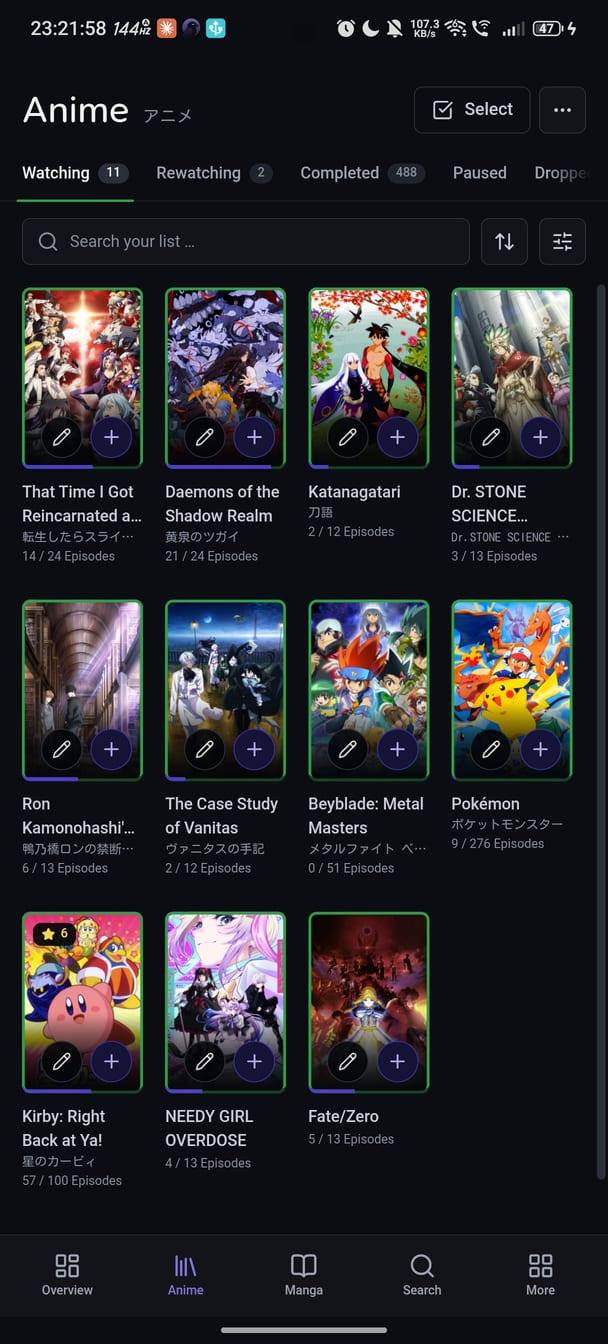
Karasu keeps your AniList list in step with what you watch and read, on a phone that talks to AniList directly — there is no server in between.

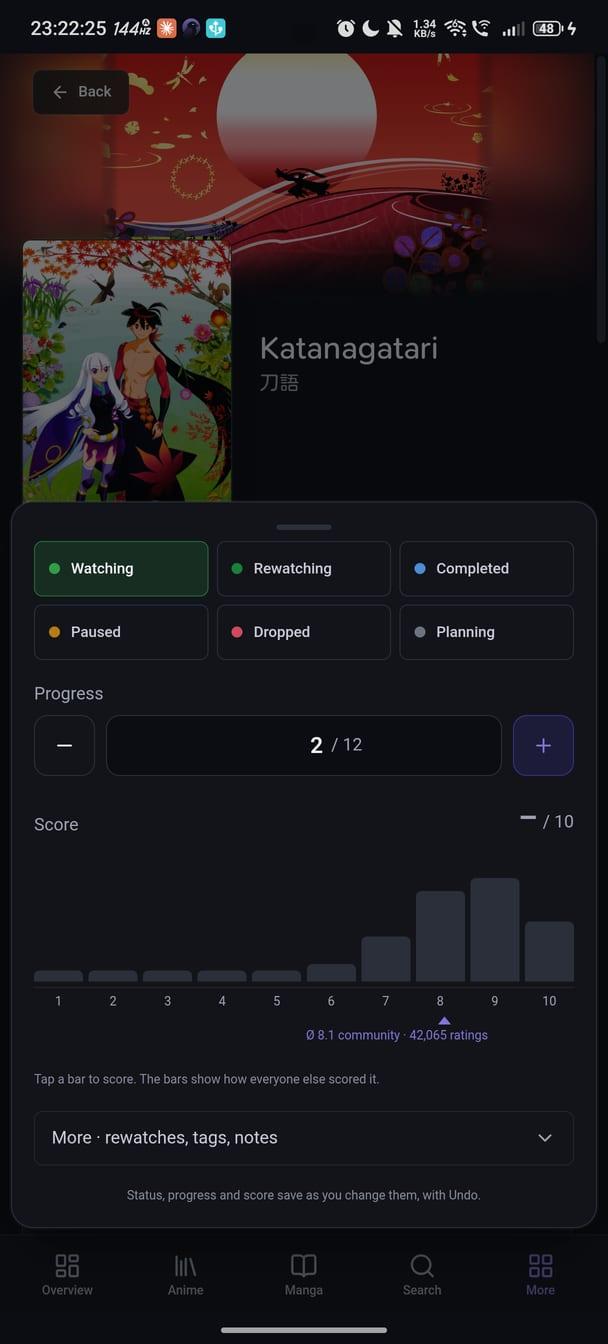
On Android it carries your lists with filters, presets and bulk edits, the season calendar, statistics and a year in review, notifications, the social feed, the forum and your profile. Pull a list down to sync, hold a title for everything you can do to it, and swipe up from the bottom bar for the command palette.

Four home-screen widgets show what is airing today, what you are watching and reading, and the week ahead — drawn from the cache, with no network of their own. A background check can tell you about new episodes with the app closed.

Detection on Android is Jellyfin: point Karasu at your server and the episode playing there counts down to an update, with the screen off if you allow the tracking service to run.

Installed from F-Droid, Karasu gets its updates from F-Droid; the APK from the GitHub releases fetches its own and opens the system installer. Karasu talks to AniList, to the Jellyfin server you set up, to GitHub once a week for the community's data on how episodes carry across seasons, and, when you open a profile, to the hosts of the images in its bio, through a bounded fetch of its own. It has no server of its own and no analytics.

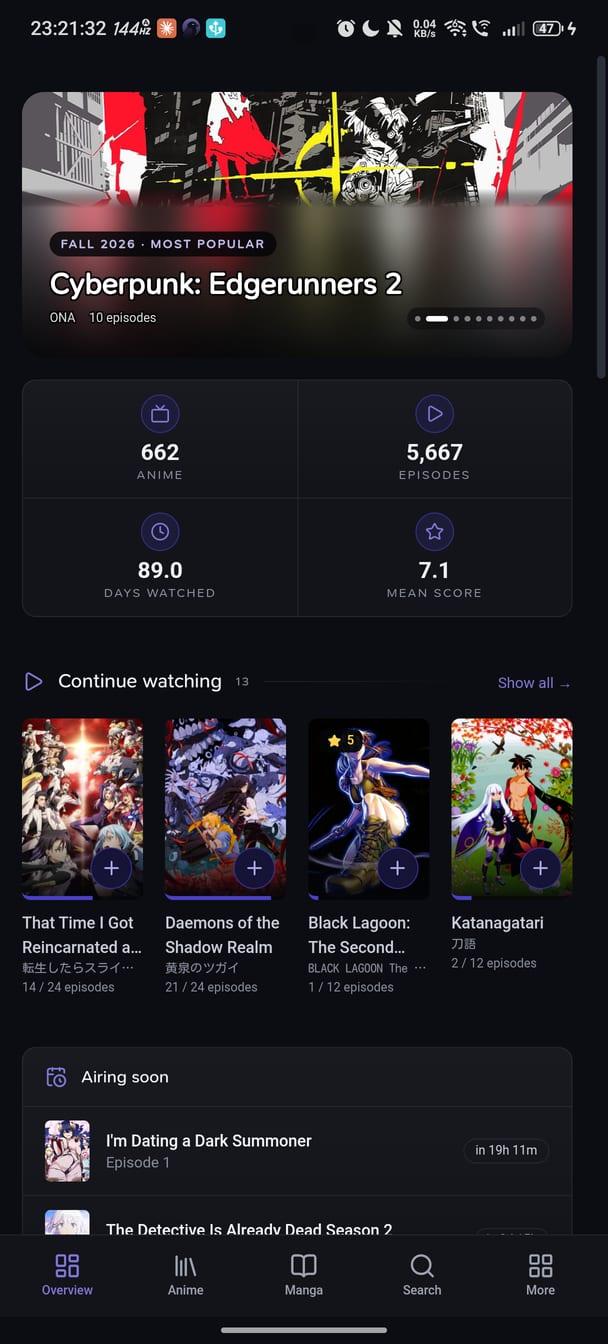
Screenshots

Karasu screenshot 1
Karasu screenshot 2
Karasu screenshot 3

What’s new

A calmer new look, and every page keeps its sections and filters in a column beside the content. The Overview is rebuilt around your lists and this week, with a Catch up row for anime you are behind on. New statistics cards; search browses AniList before you type; actors, characters and studios list everything by year. Mutual follows, removing a follower, AniList's new adult options. Fixed: the first start after installing no longer closes the app.

How to install

  1. Download the APK from the button at the top of this page.
  2. Allow “Install unknown apps” for your browser or file manager only, not for every app.
  3. Open the downloaded file and confirm the installation.
  4. If installation fails with “App not installed,” remove an earlier build of the same app first. A signature conflict is the usual cause.

Data safety

  • Every file is checked against its published SHA-256 before it is listed.
  • Files are scanned for malware on every update.
  • The permissions each app requests are listed on its own page.
  • Read the full safety policy for how we test, flag, and delist files.

Frequently asked questions

What is Karasu?
Anime and manga tracker for AniList
Who develops Karasu?
Karasu is developed by Kyu.
Which Android version does Karasu require?
Karasu requires Android API 24 or later.
What is the current version of Karasu?
The synchronized F-Droid version is 1.68.0.926.
Which license does Karasu use?
The signed F-Droid metadata lists AGPL-3.0-or-later.
Where is the source code for Karasu?
https://github.com/Suzora/Karasu

Comments

Recent approved comments · sorted by newest

Verification code
Be specific and keep it about the app. No links. Comments are reviewed before publication. Device and Android details are recorded automatically. Privacy policy.

Loading recent comments...

View all comments